TABLE OF CONTENTS
What’s a snippet?
If you’ve ever written a passage or exchange that you just couldn’t wait to share, then snippet sharing is perfect for you. In Ellipsus, you can share up to 1,000 characters of your work as a stylized image that can be downloaded and shared online.
Create a snippet
Highlight a section of your doc or draft (up to 1,000 characters), then navigate to Share and export and select Snippet.
A new menu will appear so you can style your snippet before downloading it. Choose between seven background colors and three image sizes: landscape (16x9), portrait (9x16), or square (1x1).
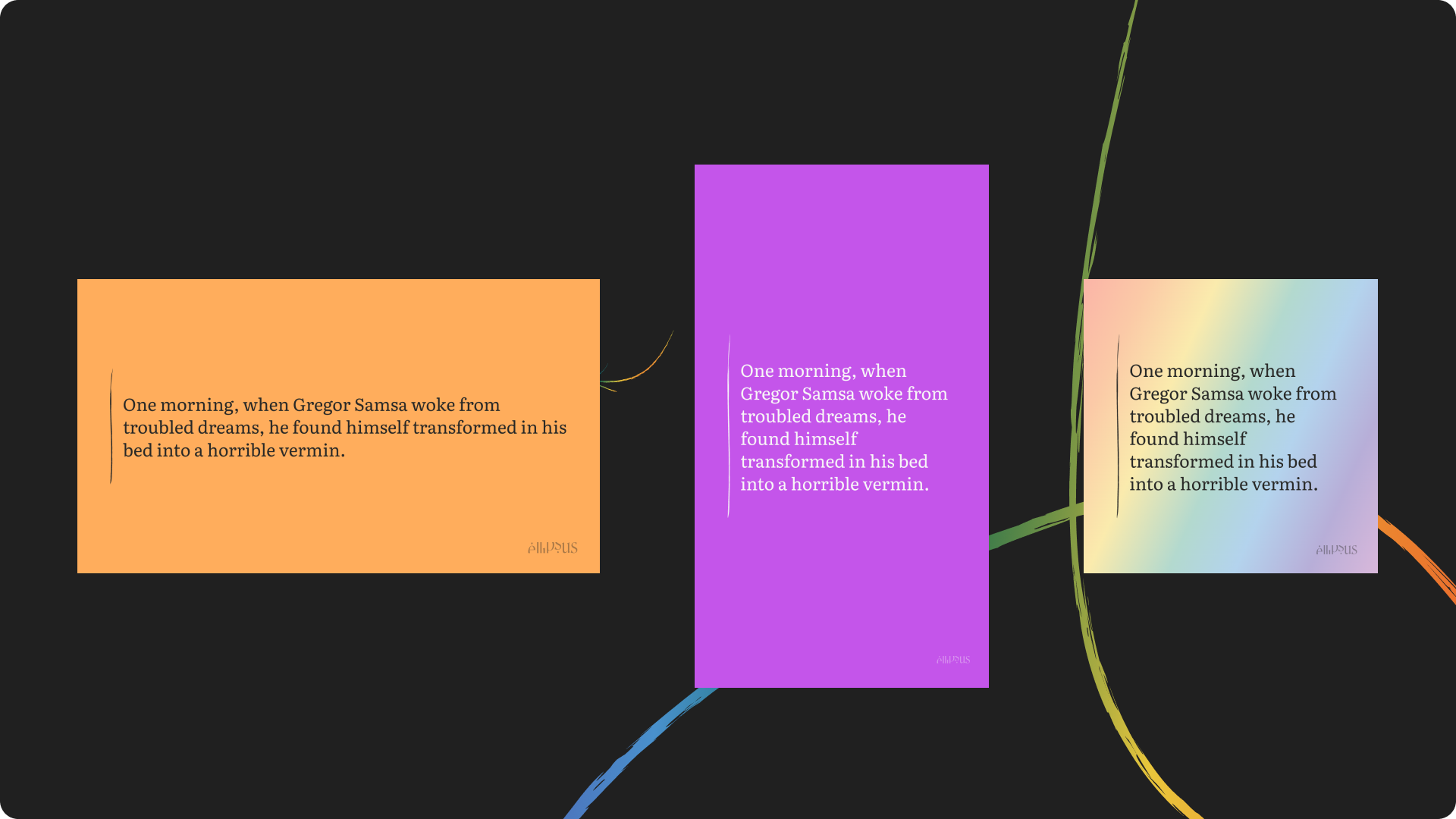
Standard Snippets will include inline styling like text colors, bold, italics, underlines, and strikethroughs, but
don’t support the following options:
Custom fonts
Headings
Formatting like bulleted lists, quote blocks, or dividers
Create custom Snippets with Ellipsus Plus
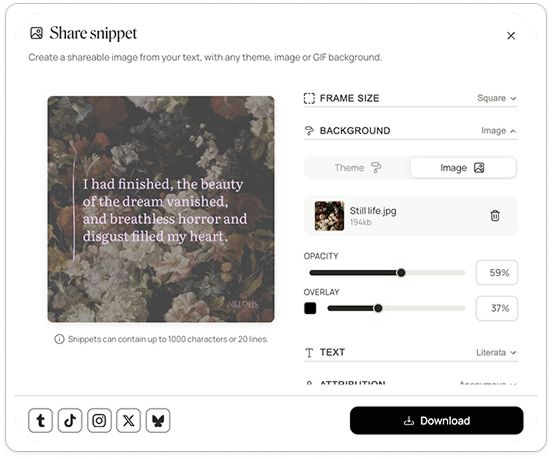
With Ellipsus Plus, you can customize your Snippet's format, background, and font. Match it to your custom themes, or upload a new image or .gif to fit the vibe. Add a byline to credit the author or character speaking.
Was this article helpful?
That’s Great!
Thank you for your feedback
Sorry! We couldn't be helpful
Thank you for your feedback
Feedback sent
We appreciate your effort and will try to fix the article