When you log into your Ellipsus account, you’ll land on your Dashboard. In the left-hand toolbar, you'll find three tabs: My work, Shared w/me, and Settings.
All of the documents and folders you own will be found in the My work tab, while the documents you've been invited to as a collaborator will be found in the Shared w/me tab.
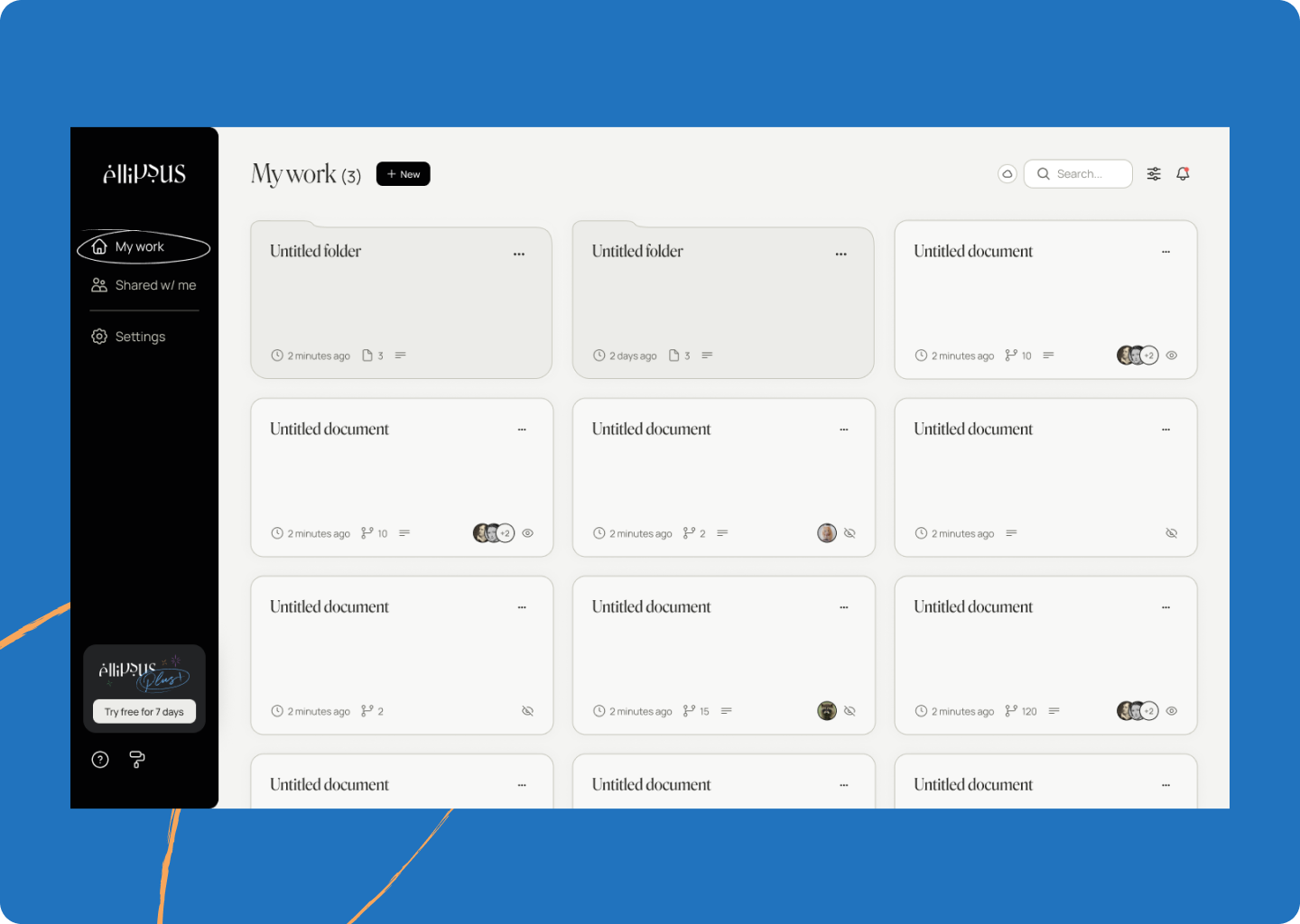
In the bottom left-hand corner, you'll see two icons:
- The question mark icon will open the Support menu. From here you can view various Ellipsus resources and access the support widget.
- The wallpaper/paint roller icon allows you to browse and change themes.
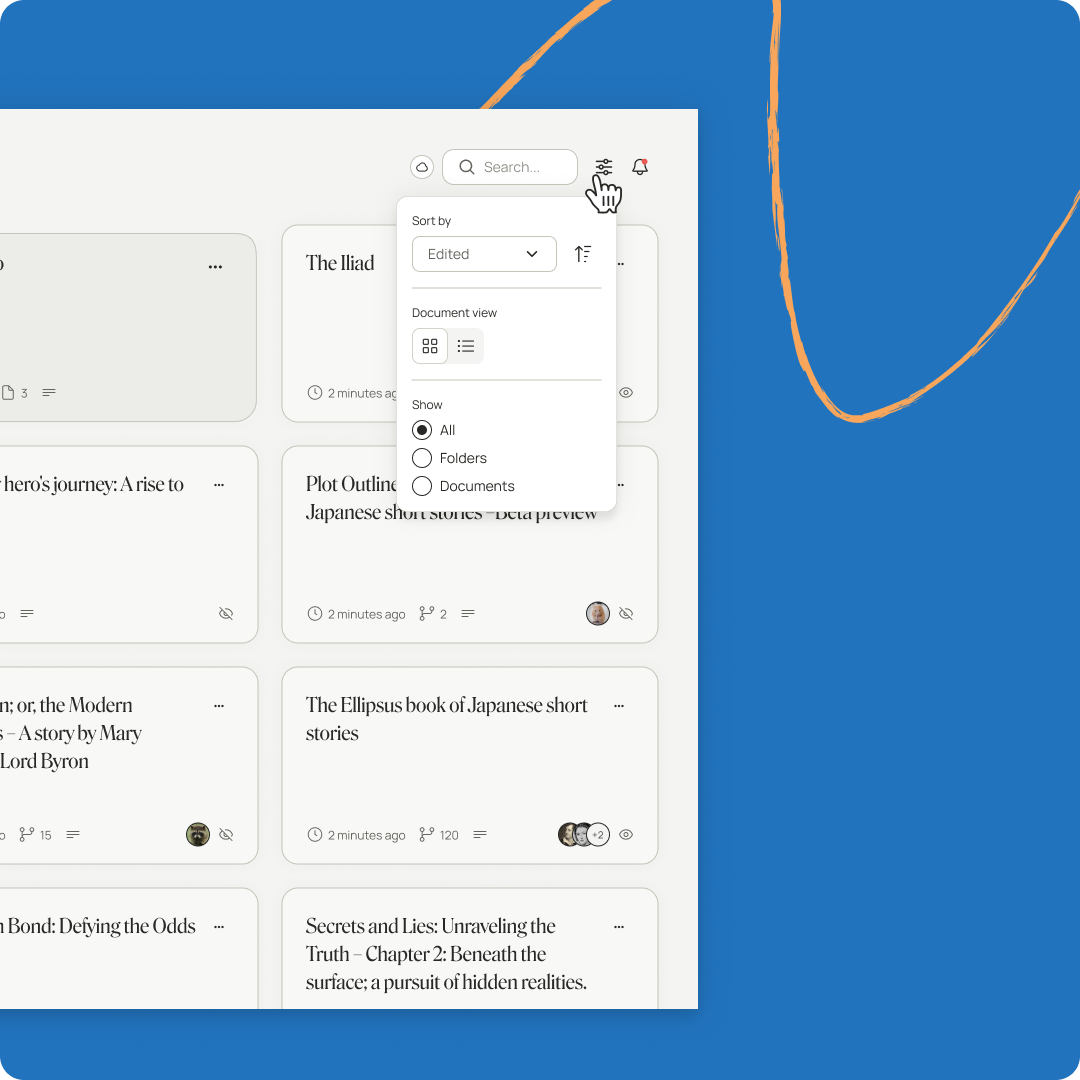
In the top right hand corner, you’ll find the search tool, your dashboard view options (e.g. sorting, filtering), and your notifications.
My work
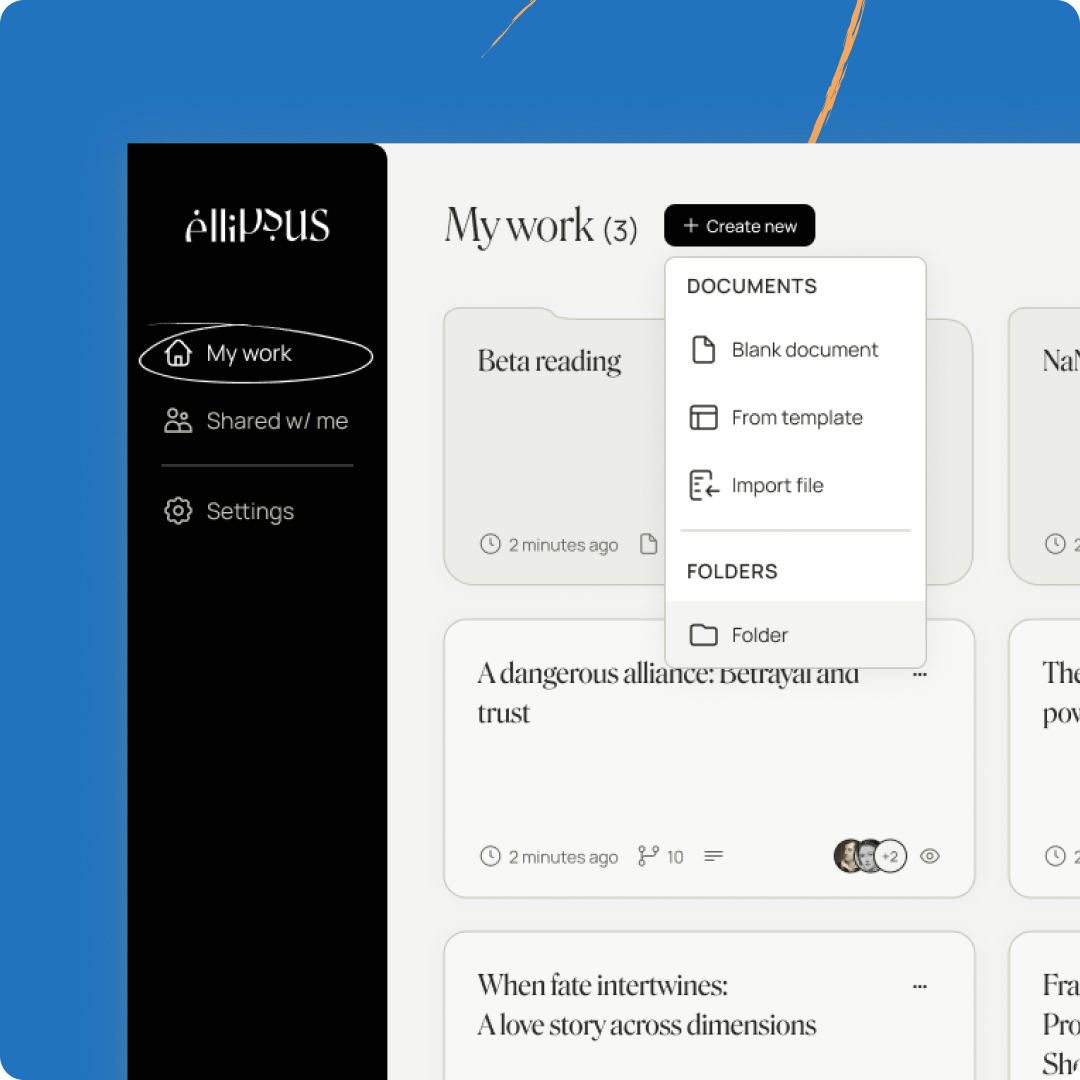
The "My work" screen is where all of your personal documents and folders live. From here, you can create documents and folders, import files, and organize your writing.
Was this article helpful?
That’s Great!
Thank you for your feedback
Sorry! We couldn't be helpful
Thank you for your feedback
Feedback sent
We appreciate your effort and will try to fix the article